May 8, 2026
May 8, 2026
Kling vs Runway vs Veo for Ecommerce Ad Videos
Compare Kling, Runway, and Veo for ecommerce ads, then learn which model fits each creative job.
Compare Kling, Runway, and Veo for ecommerce ads, then learn which model fits each creative job.
Kling vs Runway vs Veo can be confusing. This guide shows which model fits ecommerce ad videos, and how to build repeatable creative workflows.
If you are choosing between Kling vs Runway vs Veo for ecommerce ad videos, start here: do not pick the model first. Pick the job first, then use the model that makes that job easiest, fastest, and most repeatable.
For ecommerce teams, the real goal is simple. You need more short videos that show the product clearly, fit the platform, and can be made again without starting from zero every time.
What each model is best at
These three tools can all help with ad video work, but they shine in different places.
Model | Best use in ecommerce | Why teams pick it |
|---|---|---|
Kling | Product motion, lifelike scenes, stronger visual realism | Good when you want a polished look for a product shot or a simple brand story |
Runway | Fast editing, scene changes, creative testing | Good when you want to move quickly and try many ad ideas |
Veo | Higher-end cinematic video ideas | Good when you want a more film-like feel for a concept or launch video |
The simplest way to think about it is this: Kling is often strong for visual realism, Runway is often useful for editing and iteration, and Veo is often the choice when a team wants a more cinematic result. Your best pick depends on what kind of ad you are making.
What ecommerce teams actually need from AI video
Most ecommerce ad videos do not need a movie-level story. They need a clean product message in a format people understand fast.
A clear product view in the first seconds
One main benefit, not five
Short hooks for Meta, TikTok, or YouTube Shorts
Easy versioning for new angles, offers, and seasons
A repeatable way to turn one idea into many ads
This is why the model choice matters less than the workflow around it. A good workflow turns one product brief into many usable outputs: hooks, shots, captions, voice lines, and cutdowns.
Which model to use for each ad job
Use Kling when the product look matters most
Choose Kling when your ad needs a strong visual scene and the product should feel real. It can be a good fit for beauty, fashion, accessories, home goods, and other products where the image itself helps sell.
Example input: a skincare bottle on a bathroom shelf, morning light, slow camera move, premium feel.
Example output: a short shot where the product sits in a clean real-world scene, with gentle motion and a polished look.
If your ad depends on the product looking believable and attractive, Kling is often a strong place to start.
Use Runway when you need speed and many test versions
Choose Runway when your team wants to edit fast, test hooks, and change scenes without a lot of friction. This is useful for paid social teams that need many versions of the same idea.
Example input: one product demo clip, three hook ideas, two different opening shots, one shorter cut for stories.
Example output: several ad versions with different pacing, cuts, and opening moments.
If you are running creative tests every week, Runway is often the easiest tool for quick turnarounds.
Use Veo when the idea needs a cinematic feel
Choose Veo when the goal is to make a concept feel more like a brand film or launch piece. It can work well when you want a strong mood, dramatic lighting, or a more polished story feel.
Example input: a hero product reveal, elegant lighting, slow camera movement, premium launch tone.
Example output: a more cinematic ad that feels like a brand story, not just a product demo.
If your campaign needs mood and polish more than fast testing, Veo may be the better fit.
A simple decision rule for ecommerce ads
If you care most about product realism, start with Kling.
If you care most about testing and editing speed, start with Runway.
If you care most about cinematic feel, start with Veo.
That rule is useful, but it is not the full answer. Most teams should not choose only one model forever. They should build a repeatable system that can use the right model for the right step.
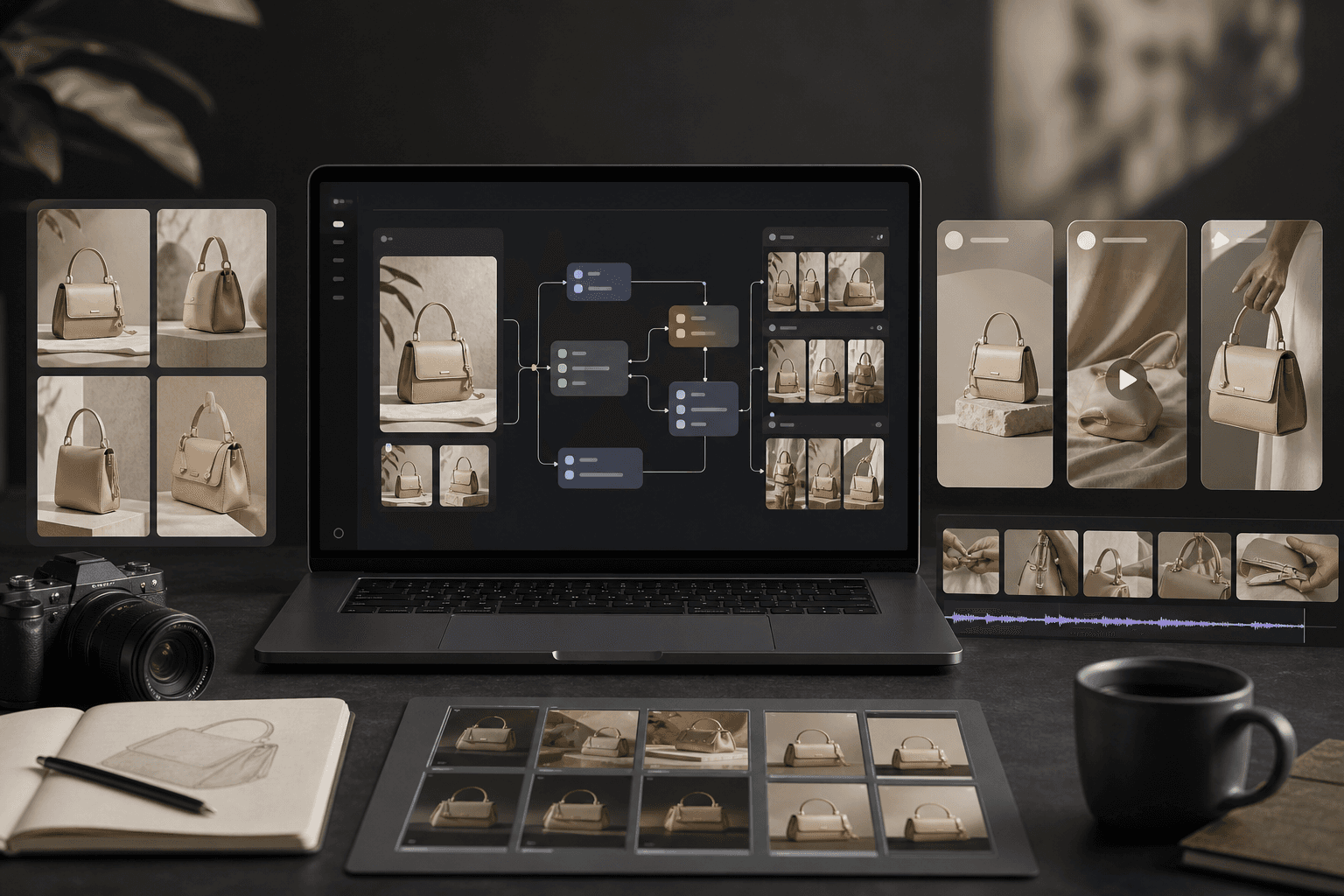
That is where Kubflow helps. You can build one visual workflow for ad production, then rerun it for new products, new hooks, new offers, and new formats without rebuilding everything by hand.
A practical workflow for ecommerce ad videos
Here is a simple workflow your team can reuse.
Write the brief. Say the product, audience, benefit, and platform.
Create the hook. Make 3 to 5 short opening lines.
Plan the shot. Decide if you need product realism, fast edits, or cinematic style.
Generate the scene. Use Kling, Runway, or Veo based on the job.
Edit for the platform. Cut to 6, 10, or 15 seconds.
Make variants. Change the hook, offer, background, or pacing.
Save the winning steps. Reuse the same path next time.
In Kubflow, this can live as one repeatable creative workflow. That means your team can pass a brief in, then get structured outputs out, instead of starting from a blank page every time.
Example: turning one skincare brief into three ads
Let’s say you sell a face serum.
Input: “Gentle serum for dry skin, premium look, Meta ad, women 25 to 40.”
Output 1: a Kling-style product scene with soft bathroom light and close-up bottle detail.
Output 2: a Runway edit that tests three different hook lines over the same product shot.
Output 3: a Veo-style launch clip with a more cinematic reveal and slower pacing.
You do not need three different teams to make those ads. You need one clear process and the right model at the right step.
Quality checklist before you launch
Does the product appear in the first few seconds?
Is there one clear benefit?
Can someone understand the ad with sound off?
Does the video match the platform length?
Does the first frame make people stop?
Can this be remade next week without extra guesswork?
If the answer is no to any of these, fix the workflow before making more videos. Better steps beat random output.
Common mistakes teams make
Choosing a model because it is popular, not because it fits the job
Trying to make one video do every job
Starting with a full ad instead of a clear shot plan
Not saving prompts, edits, and winning versions
Making too many changes at once, so no one knows what worked
The fastest teams are not the ones with the fanciest tool. They are the ones who can repeat a good process with less friction.
Where Kubflow fits in
Kubflow is built for teams that need repeatable AI ad and content production. You can connect image, video, audio, and text models in one visual workflow, then reuse that workflow across campaigns.
Instead of asking, “Which model should we bet on?”, your team can ask, “Which model should we use for this step?” That shift makes production easier to manage and easier to scale.
If you are comparing Kling vs Runway vs Veo for ecommerce ad videos, the best next move is to build one workflow that can use all three where they make sense.
FAQ
Which model is best for product ads?
There is no single best model for every product ad. Kling is often a strong choice for realistic product scenes, Runway for fast tests and edits, and Veo for cinematic brand-style videos.
Should a team use only one model?
Usually no. Most ecommerce teams get better results when they use different models for different jobs inside one repeatable workflow.
What should I build first?
Start with one product brief, one hook set, one scene type, and one short format. Then save the steps that work so you can repeat them next time.


Kling vs Runway vs Veo can be confusing. This guide shows which model fits ecommerce ad videos, and how to build repeatable creative workflows.
If you are choosing between Kling vs Runway vs Veo for ecommerce ad videos, start here: do not pick the model first. Pick the job first, then use the model that makes that job easiest, fastest, and most repeatable.
For ecommerce teams, the real goal is simple. You need more short videos that show the product clearly, fit the platform, and can be made again without starting from zero every time.
What each model is best at
These three tools can all help with ad video work, but they shine in different places.
Model | Best use in ecommerce | Why teams pick it |
|---|---|---|
Kling | Product motion, lifelike scenes, stronger visual realism | Good when you want a polished look for a product shot or a simple brand story |
Runway | Fast editing, scene changes, creative testing | Good when you want to move quickly and try many ad ideas |
Veo | Higher-end cinematic video ideas | Good when you want a more film-like feel for a concept or launch video |
The simplest way to think about it is this: Kling is often strong for visual realism, Runway is often useful for editing and iteration, and Veo is often the choice when a team wants a more cinematic result. Your best pick depends on what kind of ad you are making.
What ecommerce teams actually need from AI video
Most ecommerce ad videos do not need a movie-level story. They need a clean product message in a format people understand fast.
A clear product view in the first seconds
One main benefit, not five
Short hooks for Meta, TikTok, or YouTube Shorts
Easy versioning for new angles, offers, and seasons
A repeatable way to turn one idea into many ads
This is why the model choice matters less than the workflow around it. A good workflow turns one product brief into many usable outputs: hooks, shots, captions, voice lines, and cutdowns.
Which model to use for each ad job
Use Kling when the product look matters most
Choose Kling when your ad needs a strong visual scene and the product should feel real. It can be a good fit for beauty, fashion, accessories, home goods, and other products where the image itself helps sell.
Example input: a skincare bottle on a bathroom shelf, morning light, slow camera move, premium feel.
Example output: a short shot where the product sits in a clean real-world scene, with gentle motion and a polished look.
If your ad depends on the product looking believable and attractive, Kling is often a strong place to start.
Use Runway when you need speed and many test versions
Choose Runway when your team wants to edit fast, test hooks, and change scenes without a lot of friction. This is useful for paid social teams that need many versions of the same idea.
Example input: one product demo clip, three hook ideas, two different opening shots, one shorter cut for stories.
Example output: several ad versions with different pacing, cuts, and opening moments.
If you are running creative tests every week, Runway is often the easiest tool for quick turnarounds.
Use Veo when the idea needs a cinematic feel
Choose Veo when the goal is to make a concept feel more like a brand film or launch piece. It can work well when you want a strong mood, dramatic lighting, or a more polished story feel.
Example input: a hero product reveal, elegant lighting, slow camera movement, premium launch tone.
Example output: a more cinematic ad that feels like a brand story, not just a product demo.
If your campaign needs mood and polish more than fast testing, Veo may be the better fit.
A simple decision rule for ecommerce ads
If you care most about product realism, start with Kling.
If you care most about testing and editing speed, start with Runway.
If you care most about cinematic feel, start with Veo.
That rule is useful, but it is not the full answer. Most teams should not choose only one model forever. They should build a repeatable system that can use the right model for the right step.
That is where Kubflow helps. You can build one visual workflow for ad production, then rerun it for new products, new hooks, new offers, and new formats without rebuilding everything by hand.
A practical workflow for ecommerce ad videos
Here is a simple workflow your team can reuse.
Write the brief. Say the product, audience, benefit, and platform.
Create the hook. Make 3 to 5 short opening lines.
Plan the shot. Decide if you need product realism, fast edits, or cinematic style.
Generate the scene. Use Kling, Runway, or Veo based on the job.
Edit for the platform. Cut to 6, 10, or 15 seconds.
Make variants. Change the hook, offer, background, or pacing.
Save the winning steps. Reuse the same path next time.
In Kubflow, this can live as one repeatable creative workflow. That means your team can pass a brief in, then get structured outputs out, instead of starting from a blank page every time.
Example: turning one skincare brief into three ads
Let’s say you sell a face serum.
Input: “Gentle serum for dry skin, premium look, Meta ad, women 25 to 40.”
Output 1: a Kling-style product scene with soft bathroom light and close-up bottle detail.
Output 2: a Runway edit that tests three different hook lines over the same product shot.
Output 3: a Veo-style launch clip with a more cinematic reveal and slower pacing.
You do not need three different teams to make those ads. You need one clear process and the right model at the right step.
Quality checklist before you launch
Does the product appear in the first few seconds?
Is there one clear benefit?
Can someone understand the ad with sound off?
Does the video match the platform length?
Does the first frame make people stop?
Can this be remade next week without extra guesswork?
If the answer is no to any of these, fix the workflow before making more videos. Better steps beat random output.
Common mistakes teams make
Choosing a model because it is popular, not because it fits the job
Trying to make one video do every job
Starting with a full ad instead of a clear shot plan
Not saving prompts, edits, and winning versions
Making too many changes at once, so no one knows what worked
The fastest teams are not the ones with the fanciest tool. They are the ones who can repeat a good process with less friction.
Where Kubflow fits in
Kubflow is built for teams that need repeatable AI ad and content production. You can connect image, video, audio, and text models in one visual workflow, then reuse that workflow across campaigns.
Instead of asking, “Which model should we bet on?”, your team can ask, “Which model should we use for this step?” That shift makes production easier to manage and easier to scale.
If you are comparing Kling vs Runway vs Veo for ecommerce ad videos, the best next move is to build one workflow that can use all three where they make sense.
FAQ
Which model is best for product ads?
There is no single best model for every product ad. Kling is often a strong choice for realistic product scenes, Runway for fast tests and edits, and Veo for cinematic brand-style videos.
Should a team use only one model?
Usually no. Most ecommerce teams get better results when they use different models for different jobs inside one repeatable workflow.
What should I build first?
Start with one product brief, one hook set, one scene type, and one short format. Then save the steps that work so you can repeat them next time.